WebRTC in files24.online: signal path vs file path
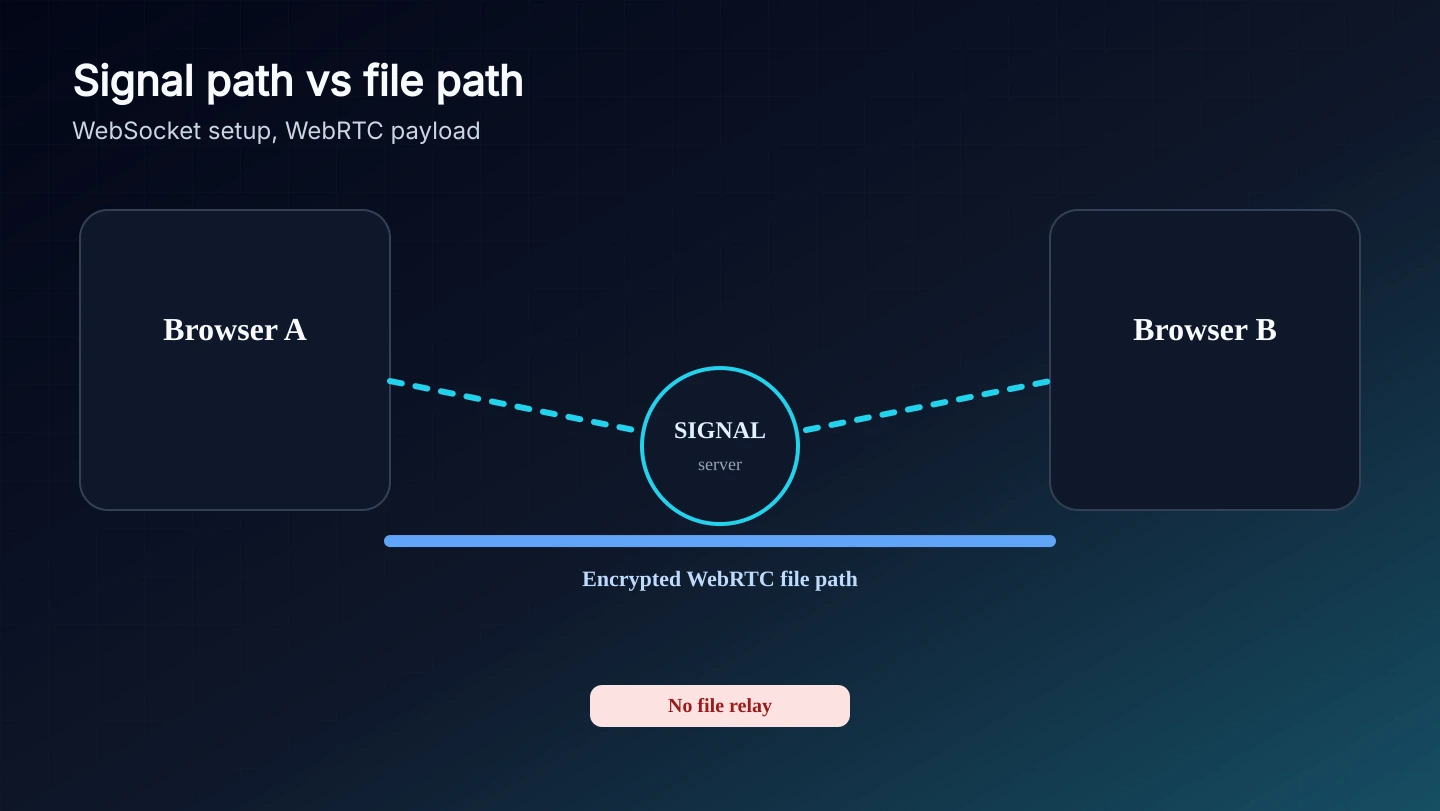
files24.online uses WebSocket signaling to introduce two browsers, then WebRTC data channels for the transfer itself. There is no TURN relay in this product profile, so blocked peer paths fail instead of being uploaded through our server.
Before any file can move, the two browsers exchange offers, answers, and network candidates through the signaling endpoint. This is connection setup metadata.
The signaling endpoint is reachable at the public WebSocket route used by the app.
It can coordinate rooms and temporary peer identifiers.
It is intentionally not a file relay.
The browser data channel carries the payload
After negotiation succeeds, file chunks travel through the encrypted WebRTC data channel selected by the browsers. The application server is no longer in the file path.
Encryption is handled by the browser WebRTC stack.
Backpressure and queue state are handled by the transfer module.
The server cannot resume a file after both peers disappear.
Some networks will not allow a direct route
Corporate firewalls, strict NAT, VPN filtering, and captive Wi-Fi can allow signaling but still block the peer route. With no TURN relay, the honest outcome is a failed connection.
Try a home network or mobile hotspot when checking never completes.
Disable VPN traffic filtering only if that is acceptable for the file you send.
A product that never relays file bytes cannot guarantee connectivity on every network.